 VideoMaker
macOS · Windows · Linux · Android
An AI agent makes promo videos and shorts for your product
Open your product folder and say what to show. The agent studies the product, records the screen, edits a video and shorts, writes titles and descriptions for every platform in the languages you need, and suggests when to publish what.
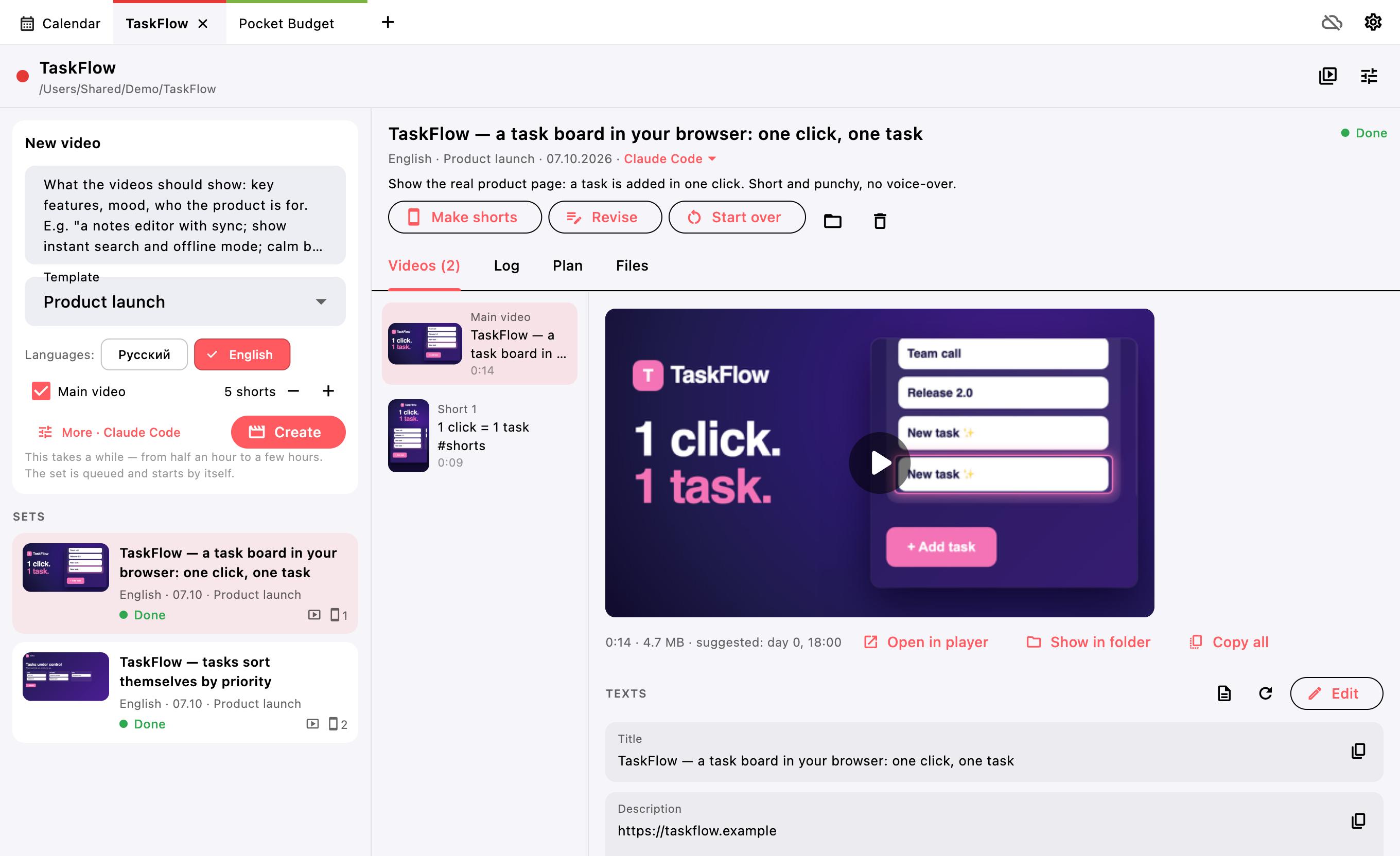
The product is ready. The videos are not.
Every release needs a video, and there is never time to make one.
-
Recording and editing take days
Record the screen, cut, add captions and music, render a landscape video and vertical shorts — one set easily eats more than a working day.
-
Every language starts from scratch
A second audience needs its own video and its own texts. Titles, descriptions, tags and posts for every platform in another language double the work.
-
Publishing falls apart
YouTube, VK Video and Telegram each have their own best time, and shorts have another. Without one plan, videos go out whenever — or never.
How it works
From a product folder to a video you can send from your phone.
-
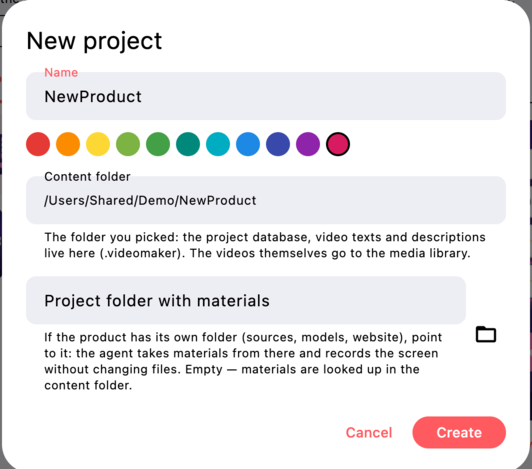
Open a project
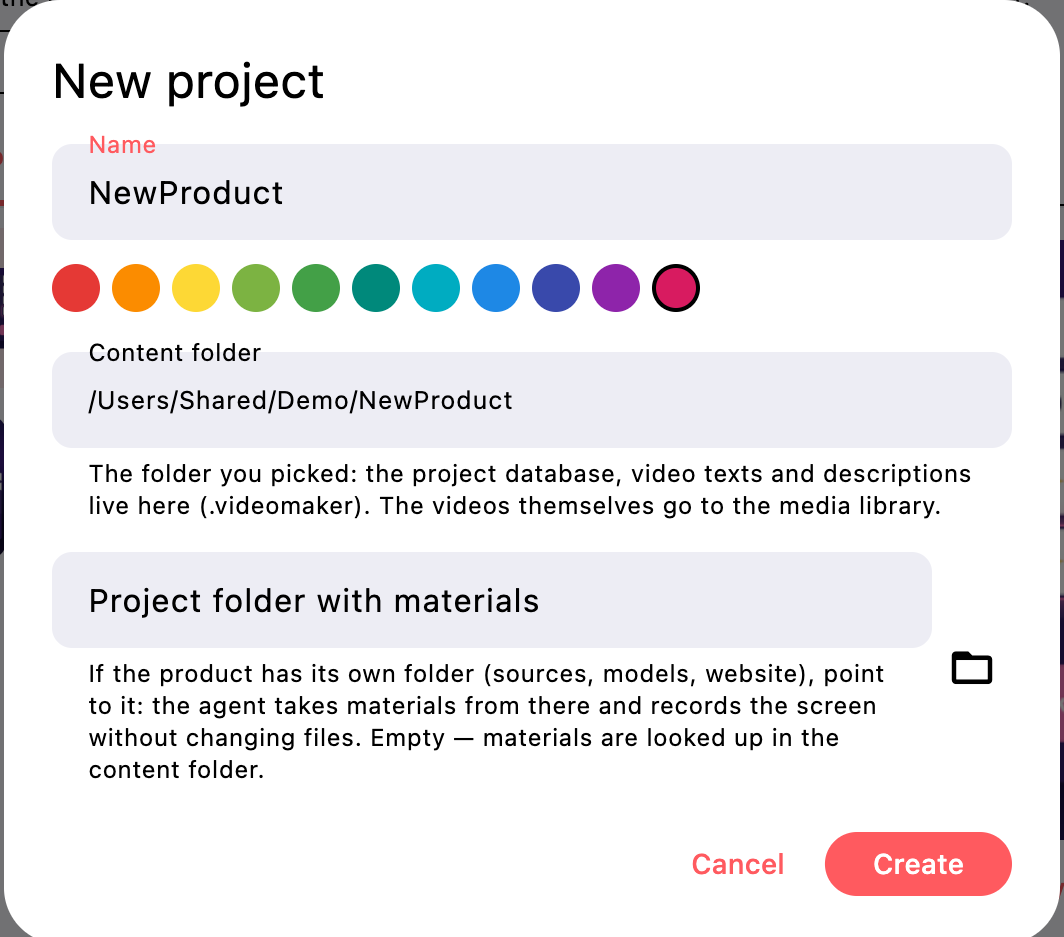
The content folder keeps the project database and video texts. If the product has its own folder with sources, models or a website, set it as the project folder with materials: the agent reads materials and records the screen from there, but never writes to it.
-
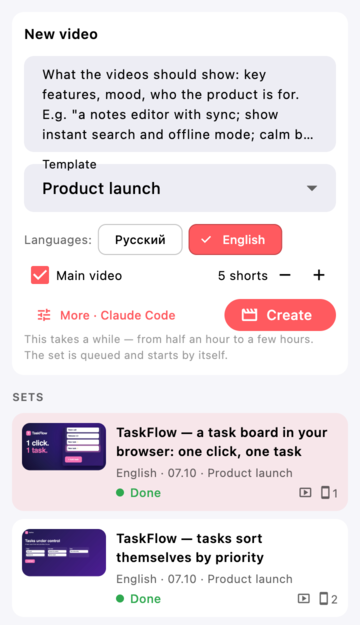
Say what you need
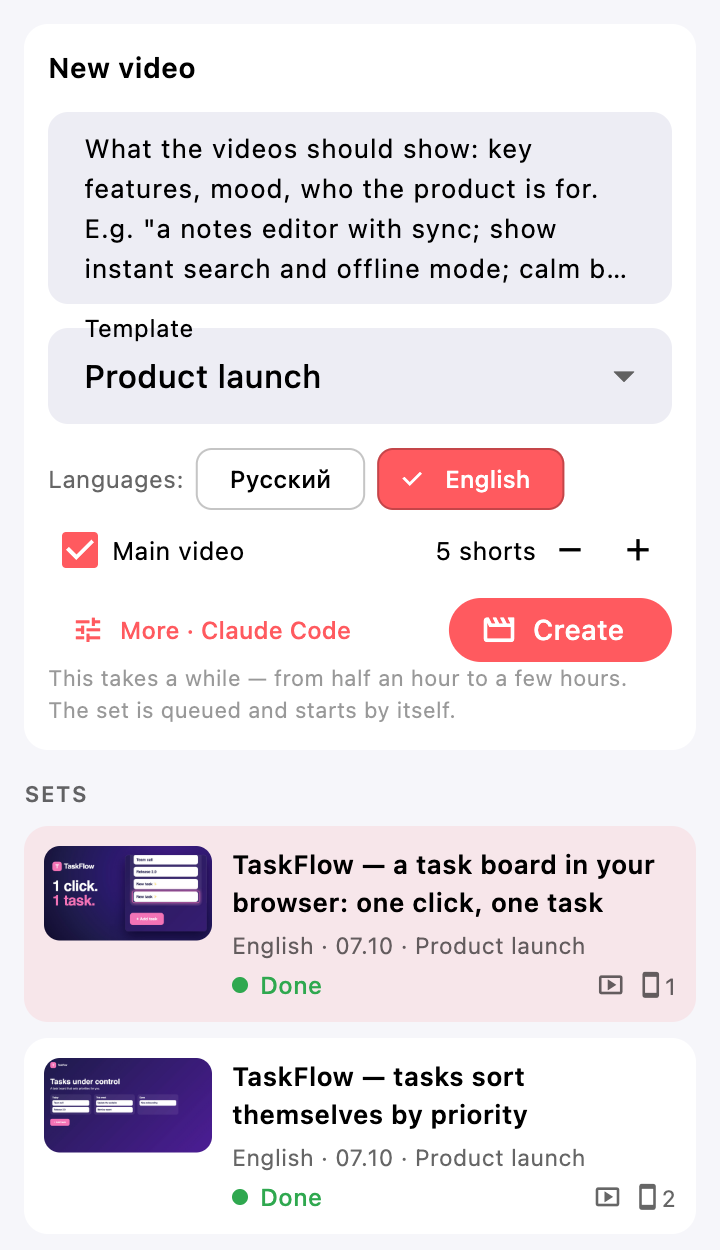
Describe what the videos should show and pick an occasion — launch, new features, overview, one feature — plus languages, the number of shorts and the agent. The set is queued and starts by itself; the work takes from half an hour to a few hours.
-
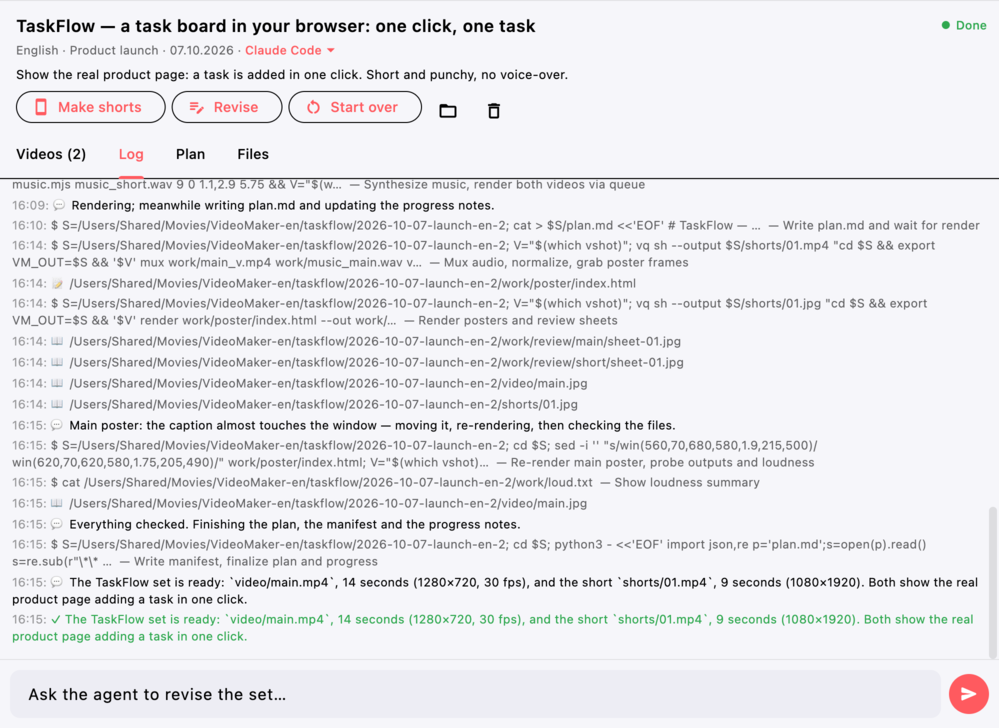
The agent records and edits
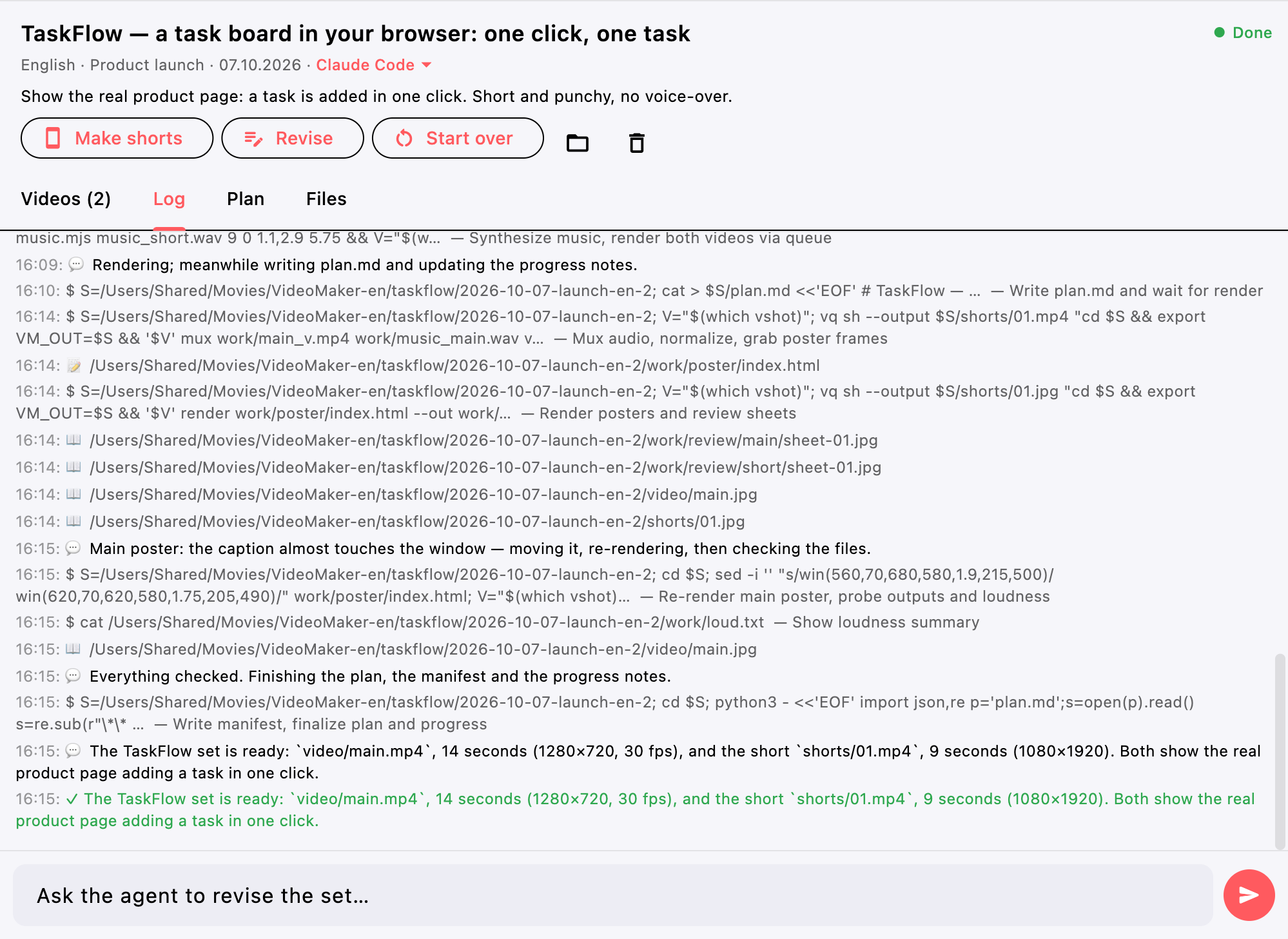
The agent studies the product, records the browser or the screen, builds a video and shorts with captions and music, checks the frames and makes posters. Then it writes titles, descriptions, tags and posts. The log shows the time of every step, and you can ask for changes in plain words.
-
Plan the release
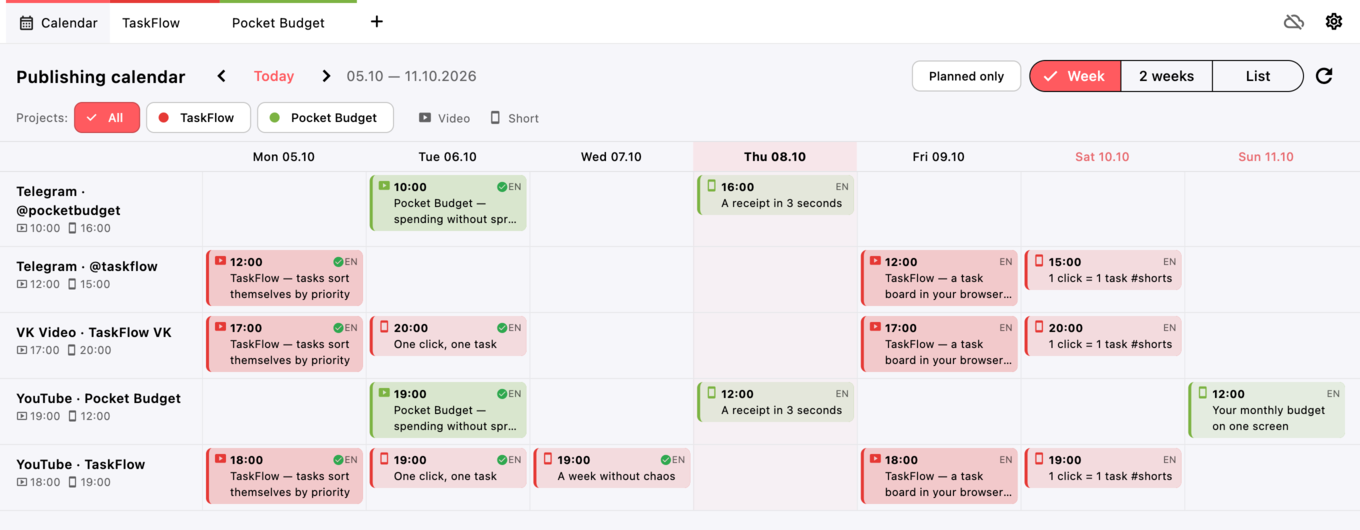
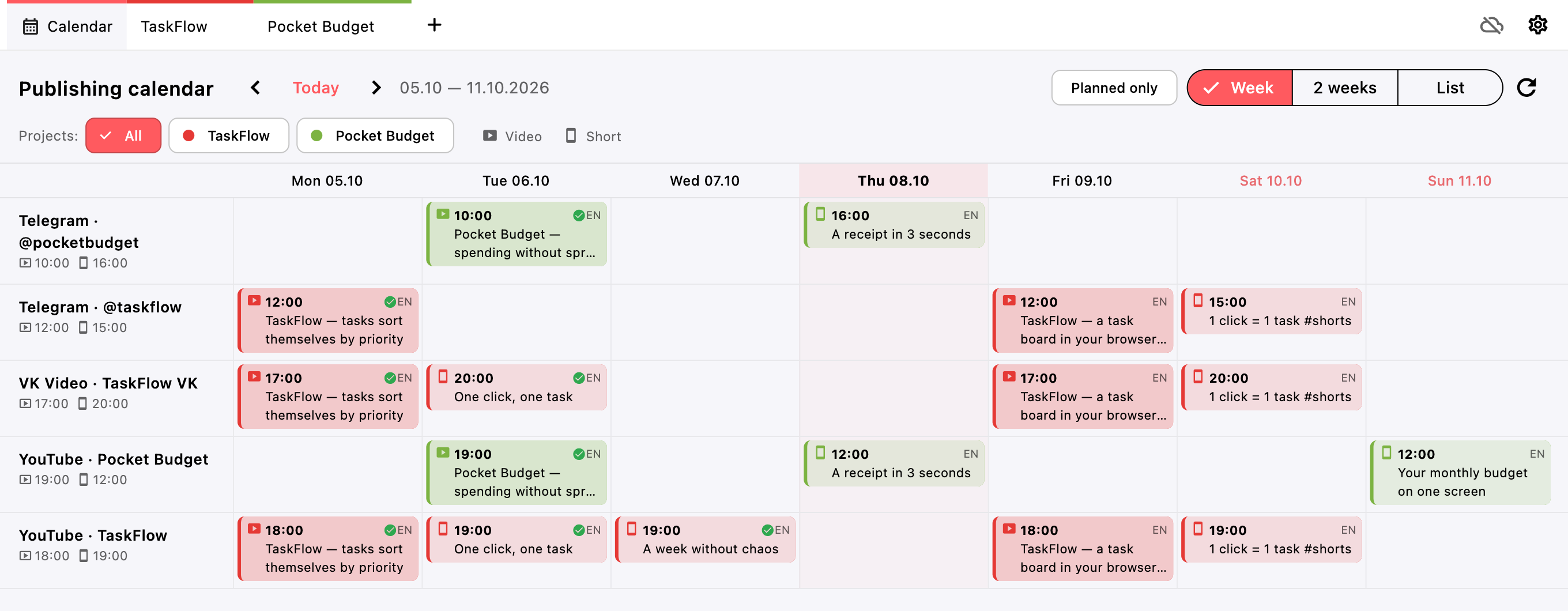
The agent suggests a day and time for every video. One calendar shows all projects by channel, with videos and shorts marked differently. Drag to reschedule; published items get a check mark.
-
Send it from your phone
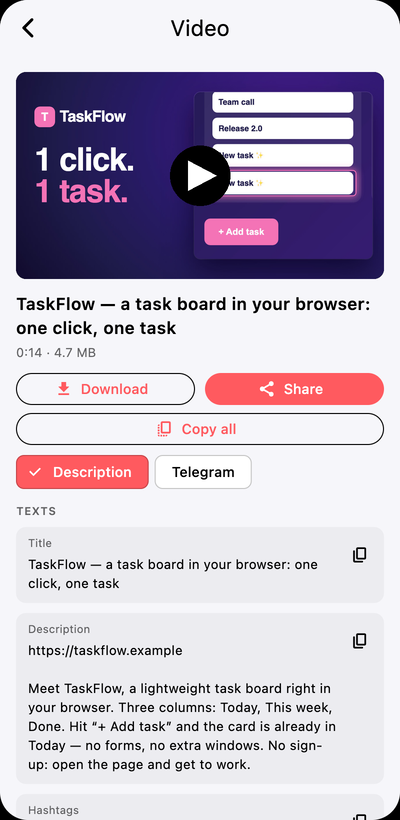
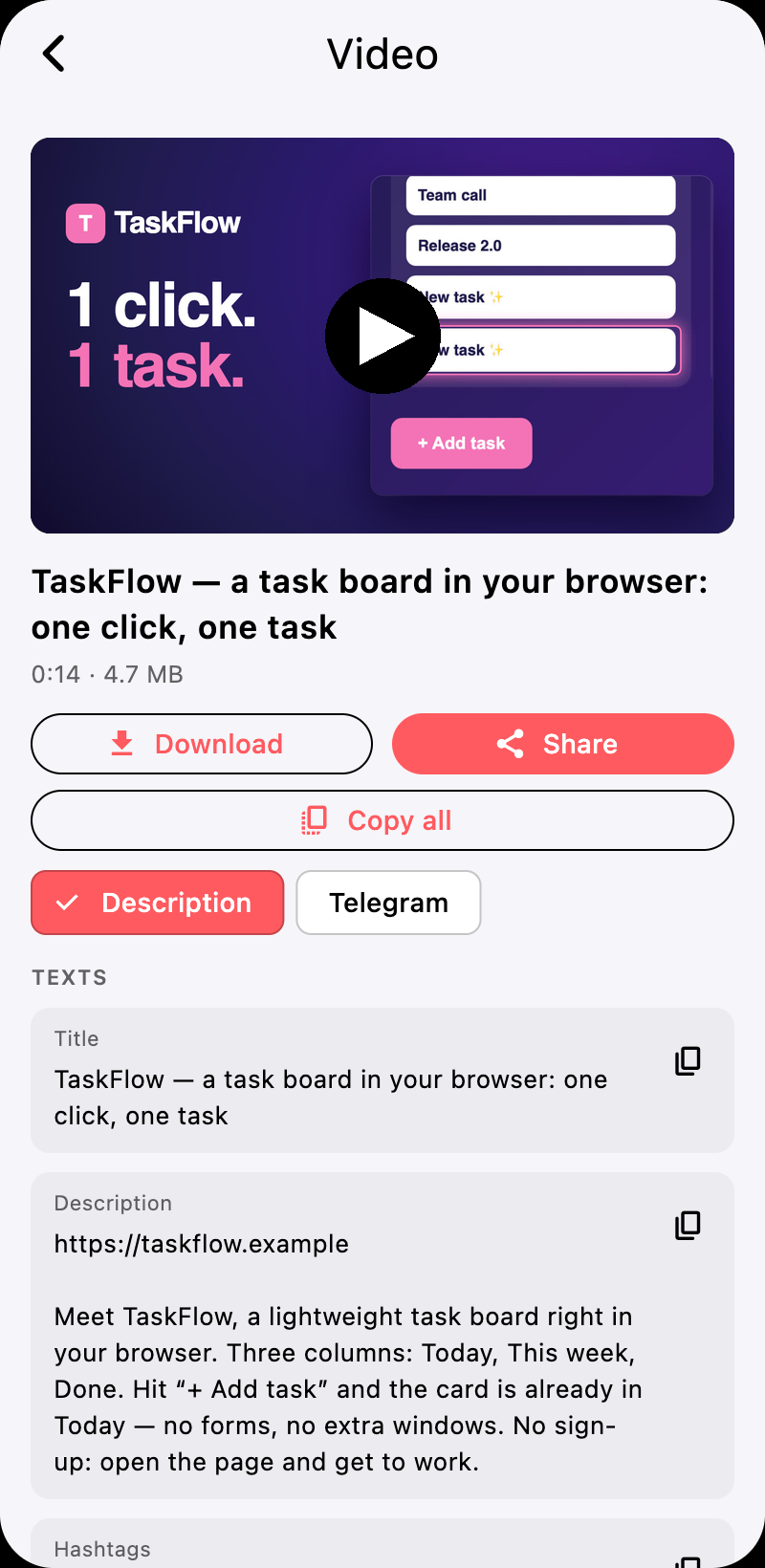
Finished videos are copied to Yandex Disk — only into the app folder. In the Android app you can download a video and share it with its description, or copy the texts for a platform.
Features
Everything it takes to ship a video with every release.
-
Your choice of agent
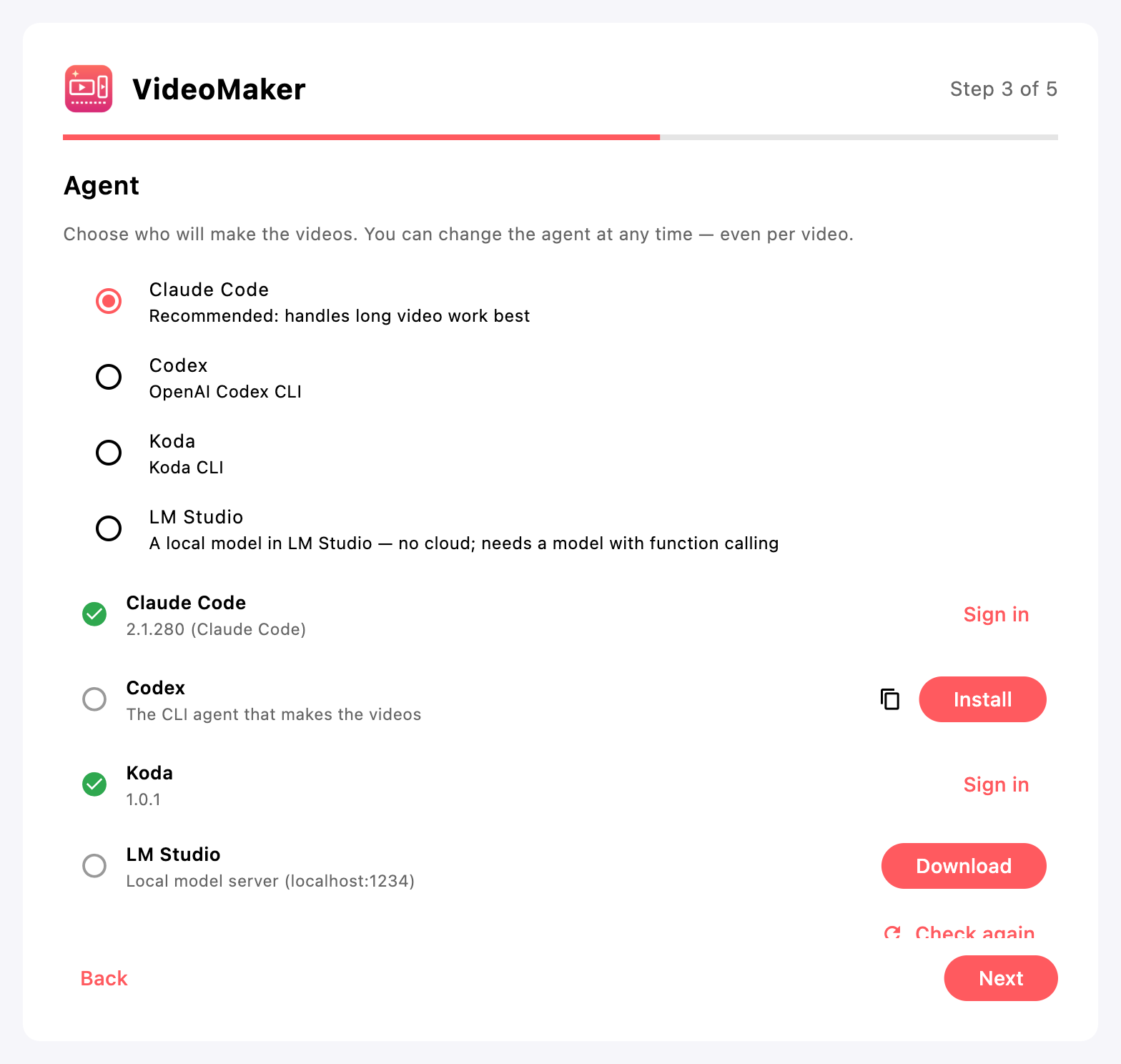
Claude Code by default, Codex, Koda, or a local model in LM Studio with no cloud at all. Switch the agent for any set, including when you start it over.
-
Several languages in one run
Russian and English at once. The second language waits for the first and reuses its recording, while the texts are written for each audience.
-
Shorts any time
Vertical videos come with the main one or later, for a finished set. “Revise” changes a finished set from your words.
-
Your data stays yours
There is no backend. The project database is SQLite, texts are Markdown files next to the project that you can edit in the app or by hand. Videos live in a media library. On Yandex Disk the app sees only its own folder, and without signing in everything stays on your computer.
Platforms and requirements
The full app on your computer, the essentials on your phone.
| Platform | What it does | Build |
|---|---|---|
| macOS | Full app: projects, agents, recording, editing, calendar | Getting ready for release |
| Windows | Full app | Not yet tested on real machines |
| Linux | Full app | Not yet tested on real machines |
| Android | Videos from Yandex Disk: watch, download, share with a description, upcoming posts | Getting ready for release |
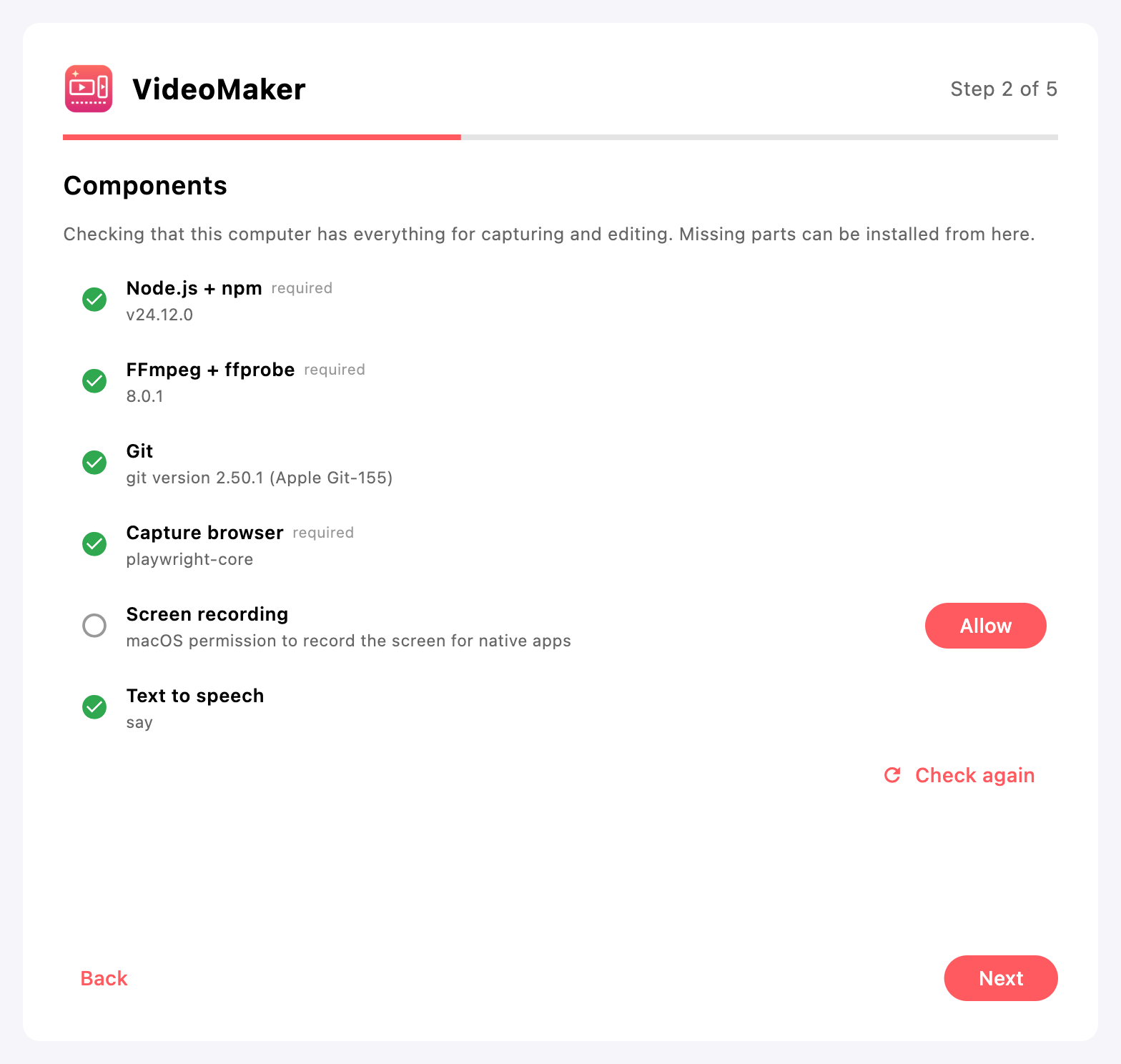
What the first-run wizard checks
- Node.js and npmfor the agents and the capture tool
- FFmpeg and ffprobescreen recording, editing, encoding and posters
- Capture browserChromium via playwright-core, installed automatically
- Screen recordingmacOS permission, for native apps
- Text to speechsay, SAPI or espeak-ng for offline voice-over
- AgentClaude Code, Codex, Koda or LM Studio with its server running
The wizard helps install whatever is missing. Git is optional: with it the agent knows what is new in the product.
FAQ
Do I need a paid subscription?
VideoMaker works through the agent you choose. Claude Code, Codex and Koda use your own accounts and plans with their providers. Without a subscription you can use a local model in LM Studio.
Can it work without the cloud?
Yes. Choose LM Studio: the model runs on your computer; it needs to support function calling. Signing in to Yandex is optional too — without it everything stays on your computer.
How long does a set take?
From half an hour to a few hours: the agent records, reviews frames, fixes and renders. The set is queued and starts by itself, and the log shows the progress.
Where are the videos and texts?
The database and texts are in the content folder, under .videomaker. Videos, recordings and the agent's working files are in the media library (~/Movies/VideoMaker on macOS). Nothing is written to the project folder with materials.
What does the app see on Yandex Disk?
Only its own folder, “Applications/VideoMaker”. It does not see or touch the rest of your Disk, and the sign-in token stays on your device.
What does the Android app do?
It shows projects and videos from Yandex Disk and the upcoming posts from the calendar. You can download a video and share it with its description. There is no recording or editing on the phone.
Download
Builds are getting ready for release. Links for macOS, Windows, Linux and Android will appear here, and the changelog will list what each version brings.
- macOS Coming soon
- Windows Coming soon
- Linux Coming soon
- Android Coming soon